hCaptcha for WordPress:
Bot and Spam Protection

Protect WordPress forms, logins, and comments from automated abuse while keeping legitimate visitors moving. hCaptcha for WP supports WordPress Core and more than 60 plugins and themes, with guided migration from reCAPTCHA and Turnstile.

hCaptcha for WordPress supports more than 60 plugins and themes

A Privacy-First CAPTCHA Plugin for WordPress

Automated submissions can affect contact forms, comments, registrations, login pages, and WooCommerce checkout. The hCaptcha WordPress plugin lets administrators protect supported forms and configure each integration from the WordPress dashboard.

01

Migrate from reCAPTCHA or Turnstile

Use the Migration Wizard under Settings → hCaptcha → Tools. It scans the site for supported CAPTCHA configurations, shows what it finds, and applies the changes you select.
02

Stop Automated Abuse

Get access to a world-class bot detection tool, already being used by some of the world’s biggest and most popular online services. Protect supported forms, logins, registrations, comments, and checkout flows from bots and automated spam.
03

More Than 60 Plugin Integrations

Enable protection for supported forms from the Integrations page. Contact Form 7, Elementor, Gravity Forms, WooCommerce, bbPress, BuddyPress, and other integrations have dedicated settings.
04

Compatible with Popular Themes

hCaptcha for WP supports popular themes and form builders, including Divi, Avada, Kadence, and Blocksy. Available settings depend on the selected integration.
05

Frictionless Protection with hCaptcha Pro

Upgrade to Pro for Invisible mode, which removes the checkbox, and 99.9% Passive mode, which challenges fewer than 0.1% of legitimate users. Pro also includes adaptive protection and custom themes.
06

Accessible Verification Support

hCaptcha supports WCAG 2.2 AA and Section 508 requirements through options such as text-based accessibility challenges and accessibility authorization. Site owners control how these options are configured within their WordPress experience.

Advanced Reporting

Review form and event statistics from WordPress

Review local statistics for protected forms and hCaptcha events from the WordPress dashboard. Reporting helps administrators identify where automated submissions occur and which forms receive the most activity.
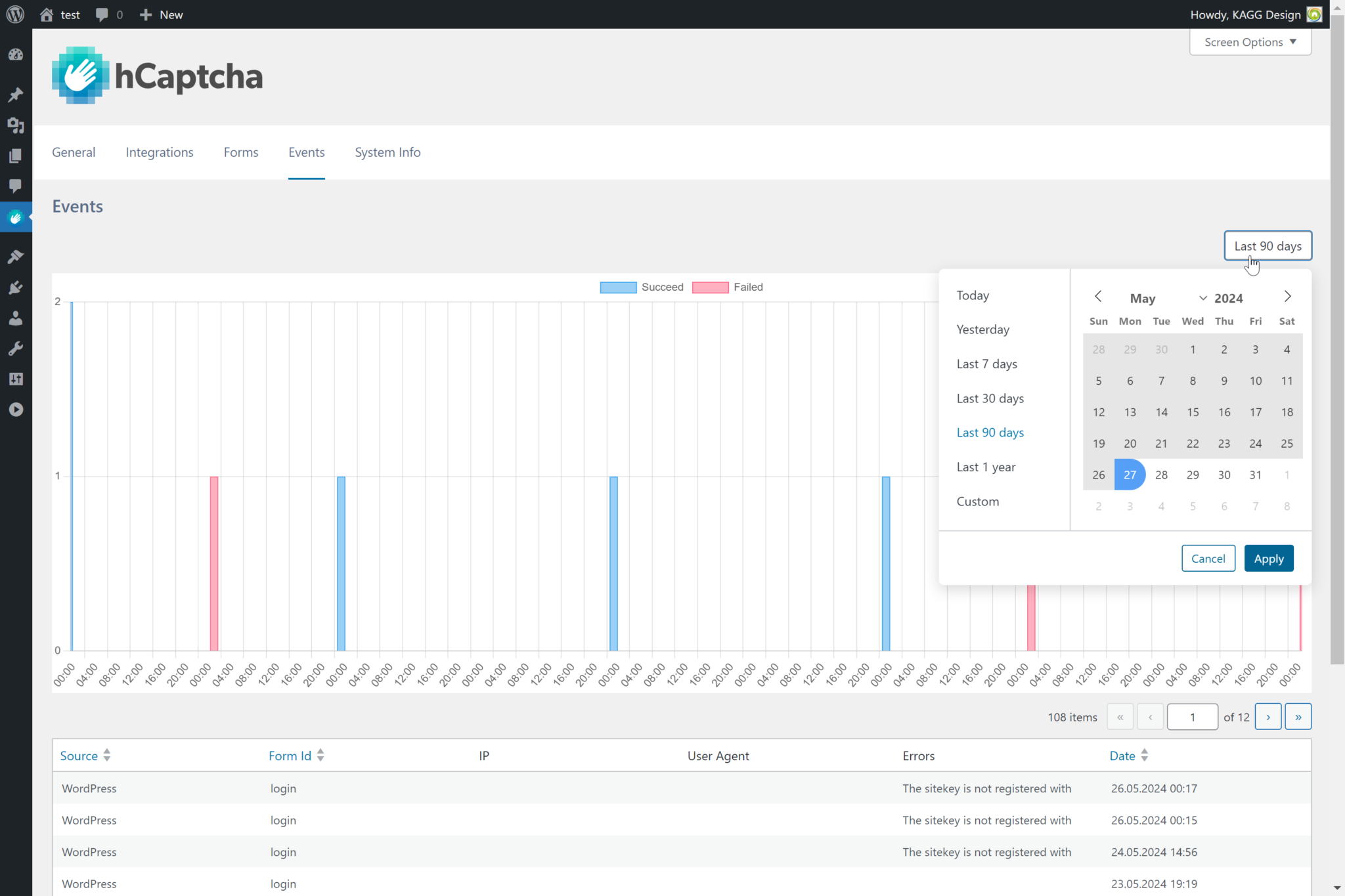
WordPress dashboard showing local hCaptcha form statistics

Visual Configuration

Configure hCaptcha for supported forms without editing theme templates. The plugin provides dedicated settings and previews for integrations such as Contact Form 7 and Elementor Pro.
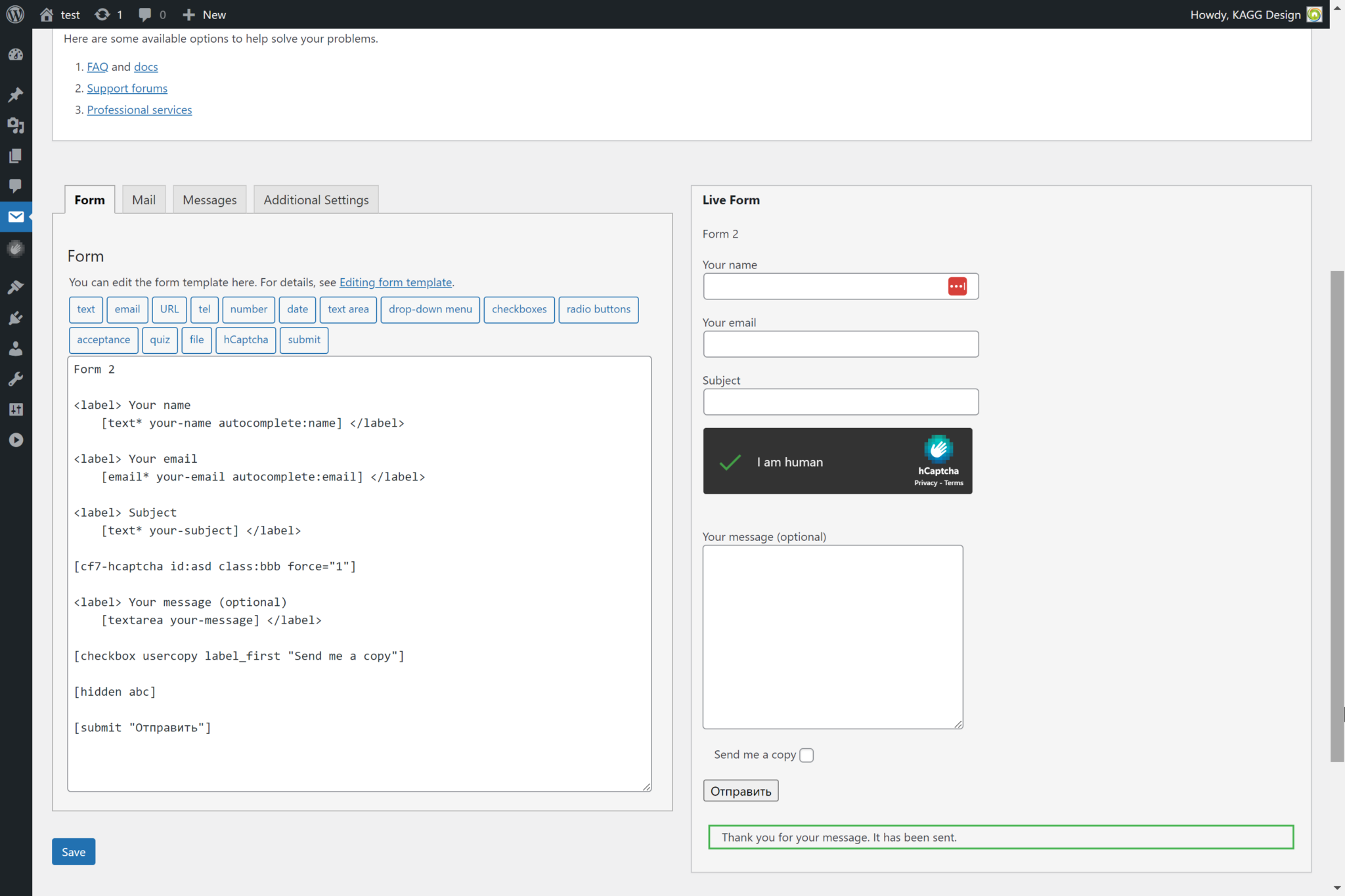
Visual hCaptcha configuration options in WordPress

More Than 60 WordPress Integrations

hCaptcha for WP supports WordPress Core, WooCommerce, Contact Form 7, Elementor, Gravity Forms, WPForms, bbPress, BuddyPress, Divi, Avada, Kadence, Blocksy, and many other plugins and themes.

Administrators can enable each supported integration individually. The plugin also handles relevant dependencies when integrations are activated or deactivated.
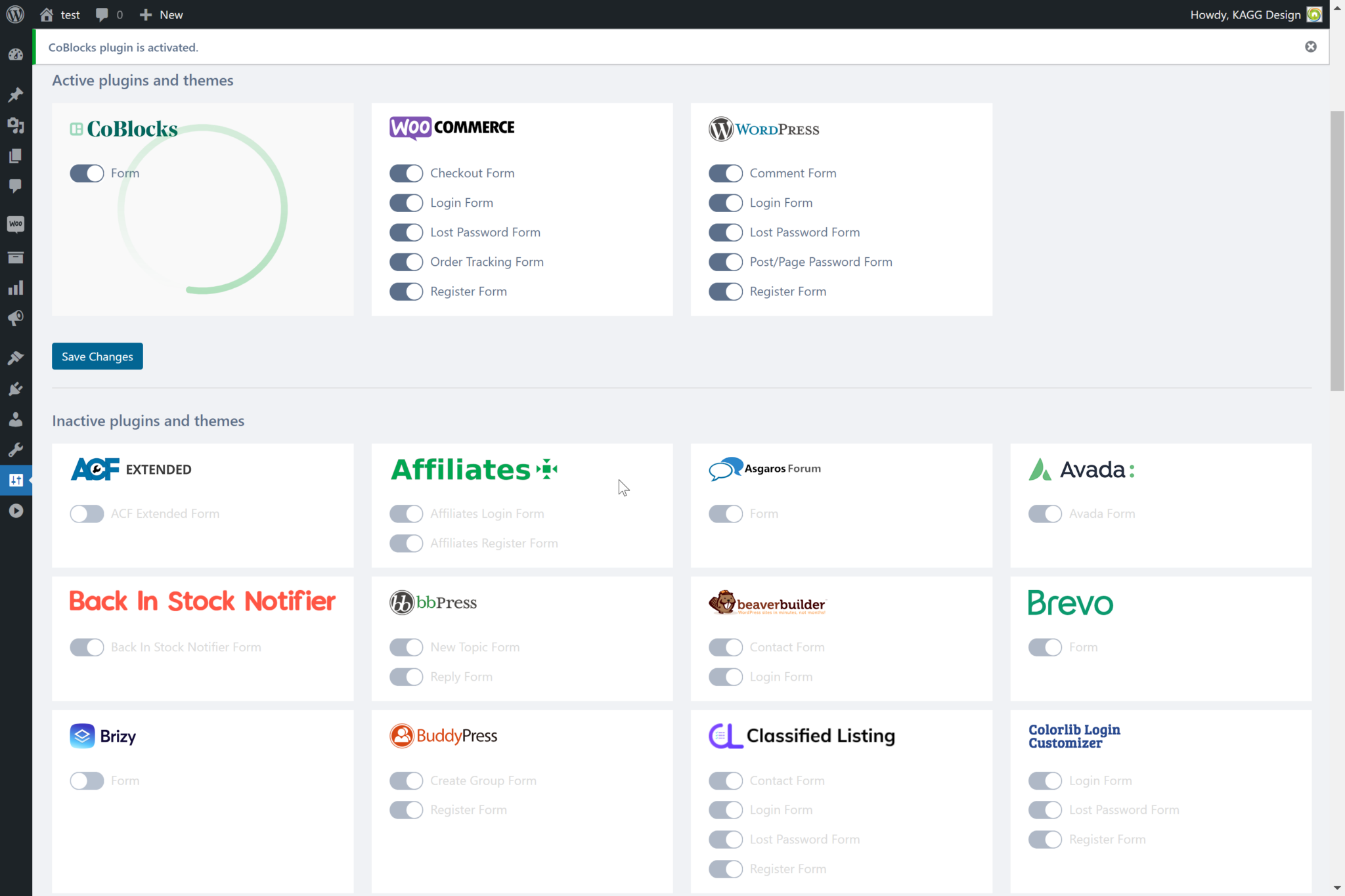
hCaptcha integrations available in the WordPress dashboard

Add hCaptcha to your WordPress site.

View Plugin

How to Add hCaptcha to WordPress

Get started with the hCaptcha WordPress plugin in minutes:

  1. Sign up at hCaptcha.com to get your site key and secret key.
  2. Install the plugin from the WordPress.org repository (Plugins → Add New → search "hCaptcha"), or upload the files manually.
  3. Activate the plugin from your Plugins admin page.
  4. Enter your keys under Settings → hCaptcha → General.
  5. Turn on the integrations you need under Settings → hCaptcha → Integrations. Each one switches on or off individually.
  6. To migrate from reCAPTCHA or Turnstile, open Settings → hCaptcha → Tools and run the Migration Wizard. It scans for supported configurations and displays the available migrations before applying your selections.

Frequently Asked Questions

What does the hCaptcha WordPress plugin do?

-
+
hCaptcha for WP protects supported WordPress forms, login pages, registrations, comments, and WooCommerce flows from bots and automated spam. Administrators can configure protection and manage supported integrations from the WordPress dashboard.

Why choose hCaptcha for WordPress?

+
-
hCaptcha for WP combines privacy-focused bot protection with broad WordPress compatibility. It supports WordPress Core and more than 60 plugins and themes, includes migration tools for reCAPTCHA and Turnstile, and works with hCaptcha Basic, Pro, and Enterprise.

Is hCaptcha for WordPress free?

+
-
Yes. The hCaptcha for WP plugin is free and works with the free hCaptcha Basic plan. Pro and Enterprise are optional upgrades for capabilities such as Invisible and Passive modes, custom themes, fully passive options, risk scores, and advanced reporting.

Is hCaptcha for WordPress privacy-friendly?

+
-
Yes. hCaptcha is designed to minimize the personal data processed and retained, with infrastructure that processes data close to users. It supports organizations working toward privacy requirements under GDPR, CCPA, LGPD, PIPL, and similar regulations.

How do I migrate from reCAPTCHA or Turnstile?

+
-
Open Settings → hCaptcha → Tools and select the Migration Wizard. It scans the site for supported reCAPTCHA and Turnstile configurations, displays the available migrations, and applies the changes you select. For detailed comparisons, see hCaptcha vs reCAPTCHA and hCaptcha vs Turnstile.

Is hCaptcha accessible on WordPress?

+
-
Yes. hCaptcha provides text-based accessibility challenges and an accessibility authorization option designed to support WCAG 2.2 AA and Section 508 requirements. Because themes, forms, and plugin settings affect the overall experience, site owners should test their implementations against the accessibility standards that apply to their sites.

How do I add CAPTCHA protection to WordPress?

+
-
Install hCaptcha for WP from the WordPress.org plugin repository, activate it, and enter your site key and secret under Settings → hCaptcha → General. Then use the Integrations page to enable protection for the WordPress forms, login pages, comments, and plugins you use.

When should I use hCaptcha Pro on WordPress?

+
-
hCaptcha Pro is a good fit when you want to remove the checkbox with Invisible mode, show fewer challenges with 99.9% Passive mode, or customize verification to match your brand. It is especially useful for customer-facing forms, logins, registrations, and WooCommerce flows.